
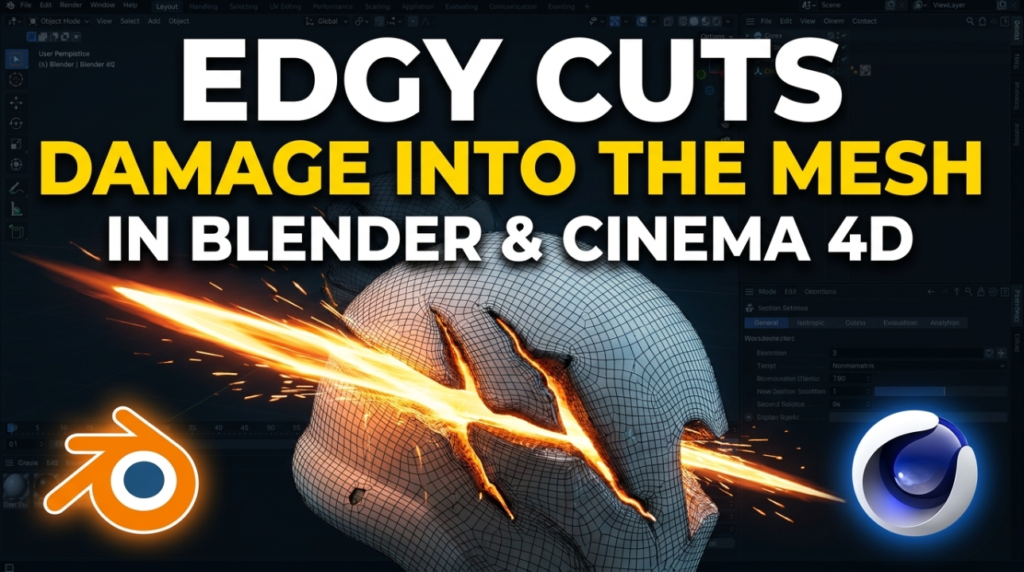
Cornelius Dammrich has released EDGY, a plugin for Blender and Cinema 4D that adds edge damage by cutting it into the mesh rather than faking it in a texture or a shader. It is $15, and one purchase covers both applications on both platforms.
What it actually does
EDGY takes a closed, watertight mesh and returns a damaged version of it — as a separate object in Blender, or as a child generator in Cinema 4D. Your source mesh stays where it was. The developer’s listing states that the UV mapping of the input mesh is carried through to the result, which is the detail that makes it usable in a real pipeline rather than a one-off render trick.
The damage is split into six modules, each with independent settings and its own material slot:
- Chips and Corners for the small edge breakup that sells age
- Craters for impact damage across flat surfaces
- Fracture and Breaker for larger structural failure
- Buildup for accumulated material rather than removed material
Placement is mask-driven: Fields in Cinema 4D, vertex groups in Blender. So you are not stuck with uniform wear on every edge — you can weight it toward the parts of a prop that would actually take a beating. Settings save as presets that can be shared, and results are cached while you drag sliders, which matters because this is a geometry operation and not a cheap one.
Geometry instead of a shader
Most edge-wear setups are shading tricks. A pointiness or curvature mask driving a second material is fast, cheap to tweak, and completely flat — it never touches the silhouette. Push the camera in and the chip that looked convincing at three metres turns out to be a smudge on a perfectly straight edge.
Cutting the damage into the mesh solves that at the cost of polygons. It also means the result is renderer-agnostic: there is no node graph to port, so Cycles, Redshift or anything else gets the same shape. The separate material slot per module is the other half of it — you can drive exposed interior material into the chipped areas without hand-painting a mask.
Where it fits in a game pipeline
You are not shipping EDGY output as a game mesh. The practical use is as a high-poly source: run it on your mid-poly, then bake normals, AO and curvature down to the low-poly you already have. Because the input UVs carry through to the result, that bake lands on the UV layout you built rather than forcing a re-unwrap. For Unreal and Unity work that is the whole workflow — the damage ends up in the normal map and costs nothing at runtime.
Versions, price and licence
- Cinema 4D 2024, 2025 and 2026, Windows and macOS
- Blender 4.2 LTS or newer, Windows and macOS including Apple Silicon
- $15 covers both applications and both platforms
- Personal and commercial use permitted; a company purchase covers the whole team
- The Blender side is open source under the GNU GPL v3 and published on GitHub; the Cinema 4D version is commercially licensed
- No online activation, licence keys or external dependencies
Both hosts run the same compiled core, so a look developed in one application should match in the other.
Who should look at it
Prop and environment artists doing hard-surface work — crates, machinery, weapons, architectural trim, anything that needs to read as used. At $15 the decision is mostly whether your meshes are watertight enough to feed it, since that is the one hard requirement. Full details are on Cornelius Dammrich’s EDGY listing on Gumroad.

