
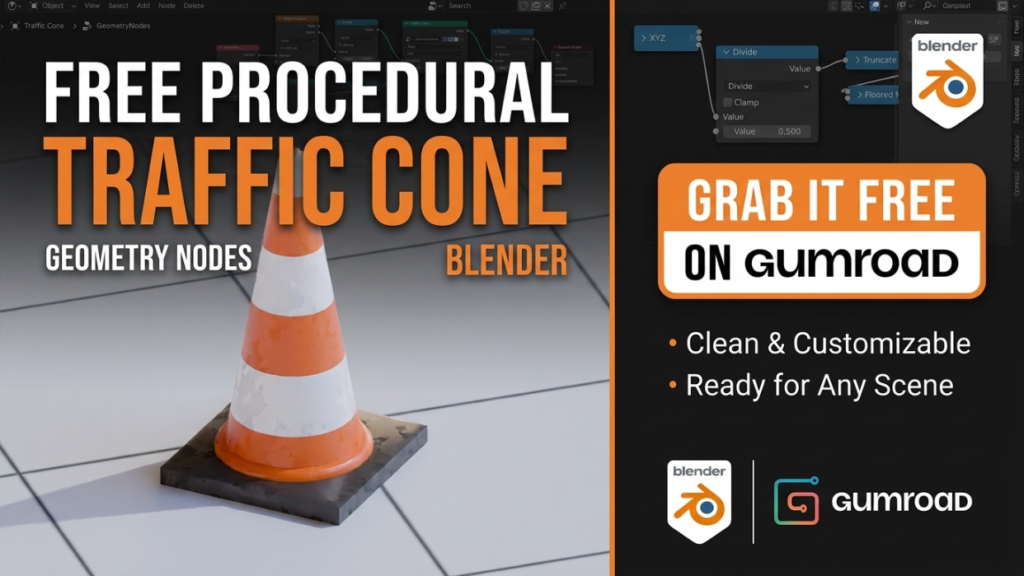
Every so often a free Blender resource makes the rounds for being almost comically over-engineered — in the best way. Alex Martinelli (@5agado) released a fully procedural traffic cone built entirely in Geometry Nodes, and it racked up over 630,000 views on X. Here’s what it is, why it’s worth grabbing, and what you can learn from it.
What It Is
It’s a single Blender file with a Geometry Nodes modifier that procedurally generates a traffic cone. No baked mesh, no textures to manage — every part of the cone is driven by node parameters, so you can reshape it, change proportions, and generate endless variations from one setup.
Key Details
- Price: Free — it’s a “name your own price” (pay-what-you-want) release on Gumroad, so you can grab it for €0 or tip the creator if you find it useful.
- Requirements: Blender 5.0 or newer (it uses current-generation Geometry Nodes features).
- File size: A tiny 122 KB — the whole thing is math, not geometry data.
- Rating: A clean 5 stars across its early ratings.
Why Download It
Beyond having a ready-to-use prop for street scenes, environment tests, and game blockouts, the real value is educational. Because it’s fully procedural, you can open the node tree and see exactly how a clean, parametric hard-surface object is constructed — the cone body, the reflective stripes, the weighted base, and the controls that tie them together. It’s a compact, real-world example of production-quality Geometry Nodes thinking.
Get It
The traffic cone is available for free on the creator’s Gumroad page:
Download the Procedural Traffic Cone on Gumroad →
Original announcement: Alex Martinelli on X.
Want to build parametric props like this yourself? Start with our beginner-friendly guides to Geometry Nodes and procedural workflows — linked in the Tools section.

