
Tablet 3D has quietly stopped being a novelty. The hardware is fast enough, the apps are mature, and a lot of professional sculpting now starts on a couch rather than at a desk. But two questions come up constantly, and both have answers people do not expect.
Can You Run Blender on an iPad?
No. There is no official iPad or Android version of Blender, and there is no announced plan for one. Blender is a desktop application for Windows, macOS and Linux.
The reasons are structural rather than stubborn: Blender assumes a mouse, a keyboard with heavy modifier-key use, a windowing system and desktop-class file access. Rebuilding that for touch is not a port, it is a different application.
What people actually do instead:
- Remote desktop into a real machine. You get genuine Blender, driven by a tablet acting as a screen and stylus. Latency is the trade-off, and it only works while your desktop is on and reachable.
- Use a native tablet 3D app for the sculpting or modelling stage, then finish in Blender on desktop.
The second option is what most people settle on, because a touch-native app beats a remote-controlled desktop app on a touchscreen every time.
Is Nomad Sculpt Available on PC?
Not officially. Nomad Sculpt is built for iOS, iPadOS and Android. There is no Windows or macOS desktop release, which surprises people who assume any popular app eventually lands on PC.
If you are on a PC and want what Nomad offers, the honest answer is that Blender’s sculpt mode is free and more capable. Nomad’s appeal is that it is exceptionally well designed for a touchscreen and a stylus — that advantage disappears entirely on a desktop with a mouse.
Android users running a large tablet with a pen get most of the iPad experience, which is worth knowing since Nomad is one of the few serious 3D apps that treats Android as a first-class platform.
What Actually Works on a Tablet
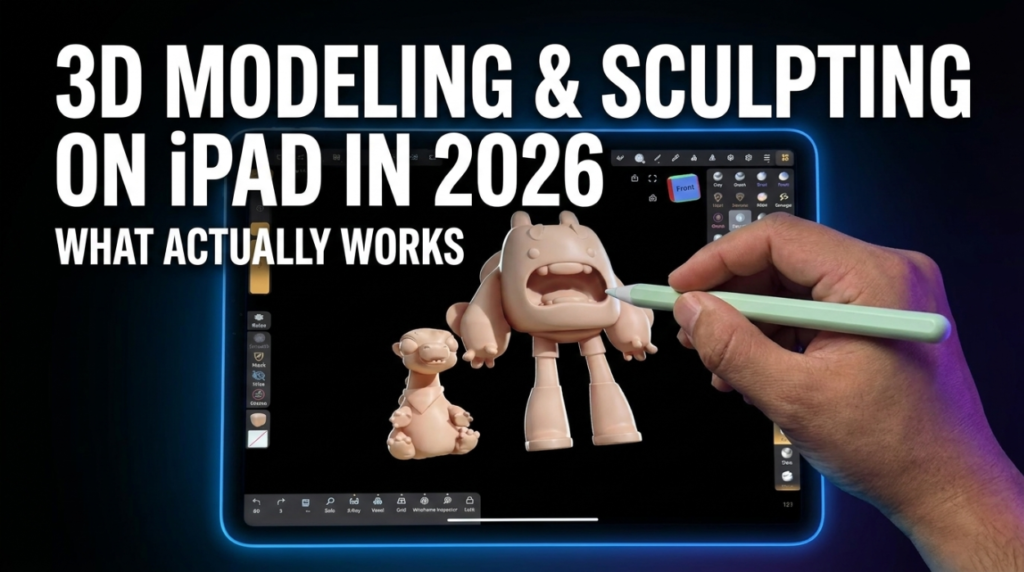
- Nomad Sculpt — the reference point for tablet sculpting. Voxel remeshing, dynamic topology, PBR painting and layers, sold as a one-time purchase rather than a subscription. iOS and Android.
- Uniform — modelling and texturing on iPad, aimed at people who want more than sculpting.
- Forger — sculpting on iOS, now under Maxon, so it fits alongside a ZBrush-adjacent pipeline.
- Shapr3D — the strongest case for a tablet in 3D: precision CAD that genuinely benefits from direct stylus input.
- Onshape — browser-based CAD, so it runs on a tablet without a native app. Rising interest suggests more people are discovering this.
- Womp — browser-based 3D creation, low barrier, works on tablet browsers.
Where Tablets Genuinely Win
Sculpting and painting. Both are fundamentally drawing tasks, and a stylus on glass beats a mouse for anything gestural. Pressure sensitivity and direct manipulation are real advantages, not marketing.
Concepting too. Being able to block a form anywhere — sofa, train, waiting room — changes how much exploration you actually do.
Where They Do Not
Anything precision or node-based. Retopology, UV unwrapping, rigging, Geometry Nodes, shader graphs and simulation all want a keyboard, modifier keys and screen real estate. Touch is worse at all of them, and no interface design fixes that.
File management and pipeline integration are also weaker on tablets, which matters more than people expect once a project has more than a few assets.
The Workflow Most People Land On
- Sculpt or concept on the tablet, where touch is an advantage
- Export as OBJ, FBX or glTF
- Bring it into Blender on desktop for retopology, UVs, rigging and rendering
The tablet replaces the early, expressive part of the process. It does not replace the pipeline, and treating it as a full desktop substitute is where people get frustrated.
Frequently Asked Questions
Will Blender ever come to iPad?
Nothing has been announced. Given the interface assumptions built into Blender, a genuine touch version would effectively be a new product rather than a port.
Is Nomad Sculpt good enough for professional work?
For sculpting, yes — plenty of professionals use it for concept and form. You will still move to desktop for retopology, UVs, rigging and final rendering.
Do I need the most expensive iPad?
Not for sculpting at reasonable polygon counts. What matters most is RAM, since that caps how dense a sculpt you can push before performance suffers. Stylus support matters more than raw chip speed for most of this work.
Can I texture paint on a tablet?
Yes, and it is one of the better use cases. Painting is a drawing task, and a stylus is the right input for it.
Android or iPad?
iPad has more 3D apps overall. Android has Nomad Sculpt, which is the most important one for sculpting. If sculpting is your goal, a large Android tablet with a pen is a legitimate choice.
The Short Answer
Blender does not run on iPad, and Nomad Sculpt does not run on PC. If you want desktop 3D, Blender is free and excellent. If you want to sculpt on a tablet, Nomad is the standard — and then you finish the job on a desktop anyway.
More tools in the 3DxDEV Library and our resources directory.

