
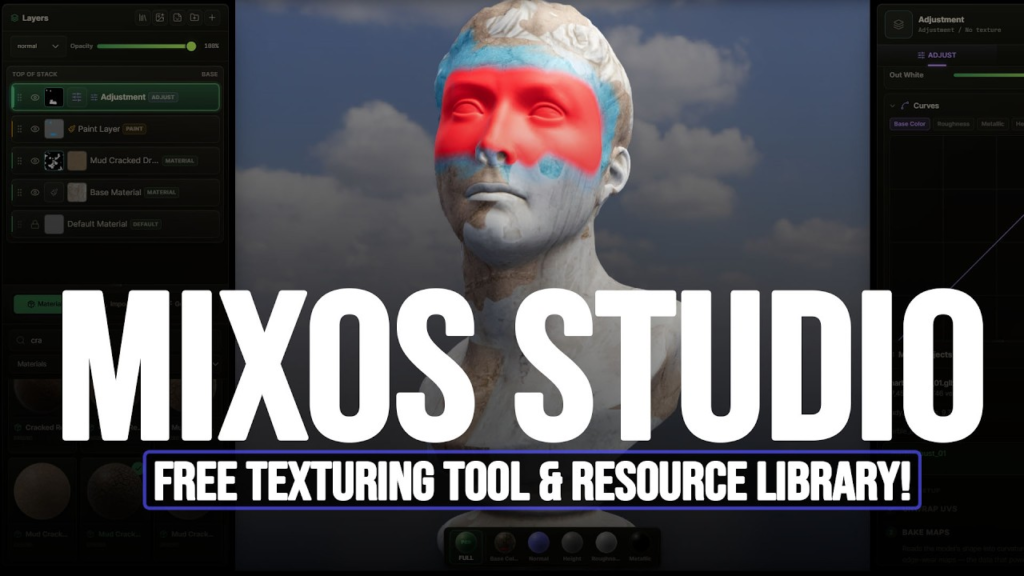
Mixos is a 3D texture painter that runs entirely in a browser tab. Import a model, paint PBR materials onto it, bake mesh maps and export a full texture set — no install, no 40GB download, no subscription required to start.
It is built on WebGPU with three.js and react-three-fiber, which is what makes browser-based texture painting viable rather than a demo.
What It Actually Does
- Import GLB, glTF, FBX or OBJ models, with automatic UV unwrapping if UVs are missing
- Paint with brush modes, stamps, stencils and projection painting
- Layer and mask materials, mixing from a library of over 2,600 CC0 materials
- Bake geometry-derived maps — ambient occlusion, curvature, normal
- Export base colour, normal, roughness, metallic, height and opacity, plus a textured GLB
That is most of what you would expect from a desktop texture painter, in a browser window.
The AI Part — and Why It Is Not the Point
Mixos includes AI generation for tiling PBR materials, seamless textures, weathering masks, brush tips and decals from text prompts. A feature called Fresco uploads a model, renders it from eight views, runs style-matched AI passes and projects the result back onto the surface.
Interesting, but the genuinely notable thing is quieter: “you need a workstation and a subscription to texture properly” stopped being true. That shift matters more than any generative feature.
The Free Tier, Honestly
The free plan includes the full editor — paint, mask and bake tools, WebGPU preview, and AI generators with 10 trial credits.
The catch is export. Free export is capped at 512px and watermarked, which means the free tier is for evaluation and learning rather than production. Pro removes the watermark, raises export to 4K and adds monthly AI credits, for a modest monthly fee.
So “full features free to try” is accurate. “Free to use in production” is not.
How It Fits a Blender Workflow
Cleanly, as it happens. Export your model from Blender as OBJ, FBX or glTF, texture it in a browser tab, and bring the maps back. No round-trip through a large desktop application.
For a fully free alternative that runs locally, see our Substance Painter alternatives guide — ArmorPaint and Material Maker cover similar ground without an export cap.
Requirements
A WebGPU-capable browser and machine. WebGPU support is now broad on current Chrome and Edge, less consistent elsewhere — if the app will not start, that is almost always why.
The Bigger Question
Browser-based creative software still feels temporary to a lot of artists, and that instinct is not unreasonable — a service can change terms or disappear in a way a local install cannot.
What has changed is capability. WebGPU removed the performance argument. What is left is a trust question, and that is a different thing to a technical limitation.
More texturing fundamentals in our guide to PBR explained properly.
Price: Free tier (512px watermarked export) · Pro subscription for 4K · Requires: WebGPU browser