
Wings 3D is a free, open-source subdivision modeller that has been in continuous development since 2001. It is not trying to be Blender — it does one thing, and it does it with unusual clarity.
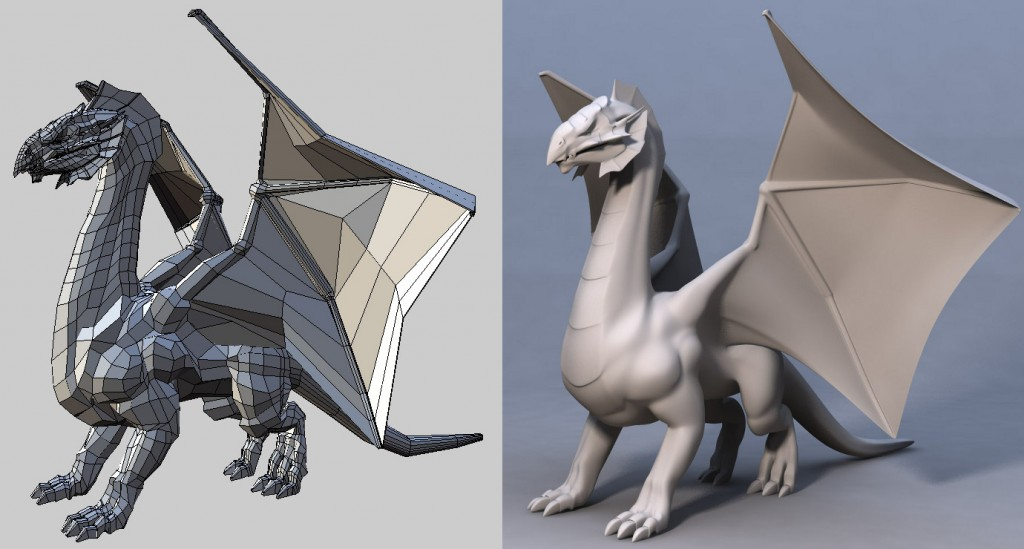
What Makes It Different
Wings 3D is built on a winged-edge data structure, which is where the name comes from. That architecture makes edge, face and vertex operations extremely predictable, and it shows in use — selections behave the way you expect and modelling operations rarely surprise you.
The interface is context-driven: right-click on a selection and you get the operations valid for that selection. No hunting through menus for a tool that may not apply.
Why It Still Has Users in 2026
Focus. Wings 3D has no animation, no rendering engine, no simulation, no compositor. It is a modeller.
For people who want to model without navigating a general-purpose application, that is the appeal. It loads instantly, the learning curve is short, and there is nothing in the interface that is not about modelling.
It has also been genuinely stable for over two decades, which counts for something.
Where It Fits
- Subdivision modelling — hard-surface and organic forms built from a clean base cage
- Learning topology — the predictability makes cause and effect easy to see
- Base meshes — model here, finish elsewhere
The Realistic Assessment
You will still need another application. There is no rendering, no rigging, no animation — so Wings 3D is one stage of a pipeline, not the pipeline.
For most people, learning Blender is the better investment, because it covers everything. But if modelling is the part you enjoy and general-purpose software feels like wading through options you never use, this is worth an hour of your time. It costs nothing to find out.
Price: Free / open source · Platform: Windows, macOS, Linux
If you want one tool that covers the whole pipeline instead, see our comparison of the best free 3D modeling software, or our guide to sculpting in Blender.