
For years, 3D anime artists in Blender faced the same hurdle: getting clean, consistent line art without tanking render times or drowning in compositor nodes.
To solve this, Japanese anime producer Masamune Sakaki developed a lightweight workflow that colors adjacent mesh areas automatically and detects edges instantly. No complex shader setups, no manual boundary tuning—just open your model and press one button.
FreePencil2 is a free, open-source Blender add-on that generates line art from any 3D model with a single button press. It comes from Japanese anime producer and animator Masamune Sakaki, and it is fast — a model with 1.28 million polygons processes in under 30 seconds.
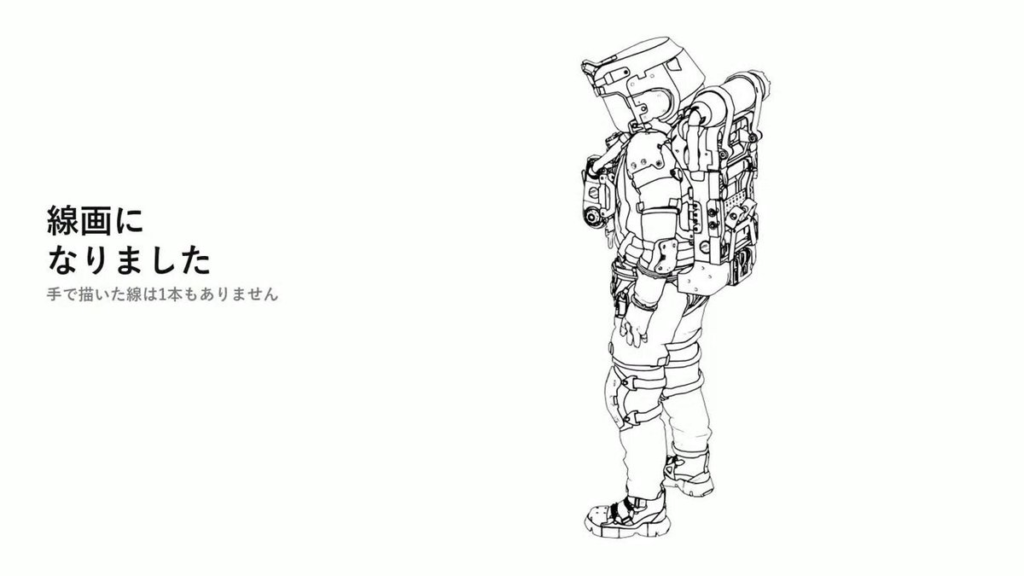
How It Works, and Why That Matters
Most outline methods in Blender fall into a few categories, each with drawbacks. FreePencil2 uses a different one: colour separation.
The add-on automatically colours the model using vertex colours, then detects the boundaries between those colours as lines using edge detection in the compositor. Because the underlying principle is simple, it is fast.
The hard part of colour-separation techniques has always been the pre-processing — deciding how to colour the regions in the first place. That is the step FreePencil2 automates.
What It Automates
From the developer’s own description of the process:
- Automatic division angle determined from the distribution of dihedral angles
- Adjacent graph colouring — neighbouring regions always get different colour classes, so boundaries are always detectable
- Automatic merging of very small regions
- Tone differentiation between touching parts
- Bone-level colour separation based on rig detection
That last point is the clever one. Using the rig to inform region separation means the line work understands the character’s structure rather than just its geometry.
Speed in Practice
The developer reports 155 parts finishing in 5.5 seconds, with line volume adjustable afterwards via a slider. A recent update also improved detection so that boundaries which previously fell below the threshold now register.
Being able to tune line density after generation is the part that makes it usable — one-click tools are only useful if you can adjust the result.
Why Line Art Is Hard in Blender
Blender offers several approaches and none is simply “turn on outlines.” Freestyle produces excellent lines but is Cycles-only, slow, and does not preview in the viewport. Inverted hull is fast and EEVEE-friendly but duplicates geometry and breaks on hard edges. Compositor edge detection works but building the node tree is fiddly. Grease Pencil line art is powerful and a workflow in itself.
FreePencil2 sits in the compositor category with the setup work done for you.
Compatibility
Works with Blender 4.2 through 5.2, with source code on GitHub. That version range covers current LTS, which is more than many NPR tools manage.
Worth Knowing
Line art quality still depends on your model. Clean topology with sensible hard edges produces clean lines; messy geometry produces messy lines, whatever tool you use.
Your normals matter too — if outlines look inconsistent, see Easy Custom Normals before blaming the line tool.
Full workflow in our guide to clean anime and toon shading in Blender, and more free tools in the 3DxDEV Library.
Creator: Masamune Sakaki · Price: Free / open source · Requires: Blender 4.2–5.2